















Affordable Access Points for Fast and Stable Business Wi-Fi

Reliable Wi-Fi is no longer a luxury for businesses—it’s the backbone of daily operations. From cloud apps and VoIP calls to POS systems and guest networks, everything depends on fast, stable wireless connectivity. The good news? You don’t need an enterprise-sized budget to get enterprise-grade performance.
In this guide, you’ll discover affordable access points (APs) that deliver strong coverage, high speeds, and smart management features—perfect for small and medium businesses (SMBs).
What Is an Access Point?
An access point (AP) is a networking device that connects to your router or switch and broadcasts signals, allowing wireless devices (laptops, phones, tablets, IoT devices) to connect to your network.
Unlike home routers, business access points are designed to:
- Support more users simultaneously
- Provide wider coverage
- Enable centralized management
- Offer better security features
Why Businesses Need Dedicated Access Points
1. Better Coverage
APs eliminate dead zones and extend Wi-Fi across offices, warehouses, and retail spaces.
2. Higher User Capacity
Handle dozens—or even hundreds—of devices without performance drops.
3. Improved Stability
Designed for continuous operation with minimal downtime.
4. Advanced Security
Features like VLANs, WPA3 encryption, and guest isolation keep networks safe.
5. Scalability
Easily add more APs as your business grows.
Key Features to Look for in Affordable Access Points
Before choosing an AP, make sure it includes:
- Standard: Wi-Fi 5 (802.11ac) or Wi-Fi 6 (802.11ax)
- Dual-Band Support: 2.4 GHz + 5 GHz
- User Capacity: At least 50+ users per AP
- PoE (Power over Ethernet): Simplifies installation
- Centralized Management: Cloud or controller-based
- Security Features: WPA3, VLAN support
1. Ubiquiti UniFi UAP-AC-Lite (Best Budget Choice)


A popular entry-level AP that delivers excellent value.
Key Features:
- Dual-band Wi-Fi
- Up to 867 Mbps (5 GHz)
- Centralized UniFi controller
Best For: Small offices and startups
2. TP-Link EAP225 (Best Value for Money)


Offers strong performance at a very competitive price.
Key Features:
- Gigabit speeds
- Omada cloud management
- Seamless roaming
Best For: SMBs needing affordable scalability
3. Aruba Instant on AP22 (Best Wi-Fi 6 Option)


Delivers Wi-Fi 6 performance at an accessible price point.
Key Features:
- Wi-Fi 6 technology
- Smart mesh support
- Mobile app management
Best For: Growing businesses needing future-proof Wi-Fi
4. Cisco Business 140AC (Reliable Brand Choice)


Backed by Cisco’s reliability and performance.
Key Features:
- Dual-band AC Wave 2
- Easy setup
- Secure networking
Best For: Businesses that prefer trusted enterprise brands
5. Ruijie Reyee RG-RAP2200(E) (Best for High User Density)


A strong contender for environments with many users.
Key Features:
- High user capacity
- Cloud management
- Smart optimization
Best For: Cafes, co-working spaces, and retail
6. Grand stream GWN7660 (Feature-Rich & Affordable)


Combines advanced features with a reasonable price.
Key Features:
- Wi-Fi 6 support
- Built-in controller
- No licensing fees
Best For: Businesses wanting advanced features without extra costs
Wi-Fi 5 vs Wi-Fi 6: Which Should You Choose?
| Feature | Wi-Fi 5 | Wi-Fi 6 |
|---|---|---|
| Speed | Good | Faster |
| Device Handling | Moderate | High |
| Efficiency | Standard | Improved |
| Future-Proof | Limited | Yes |
👉 If your budget allows, go for Wi-Fi 6 for better long-term performance.
How Many Access Points Do You Need?
It depends on:
- Office size
- Number of users
- Wall thickness
- Device density
General Rule:
- Small office: 1–2 APs
- Medium office: 3–5 APs
- Large space: 6+ APs
Best Placement Tips for Maximum Coverage
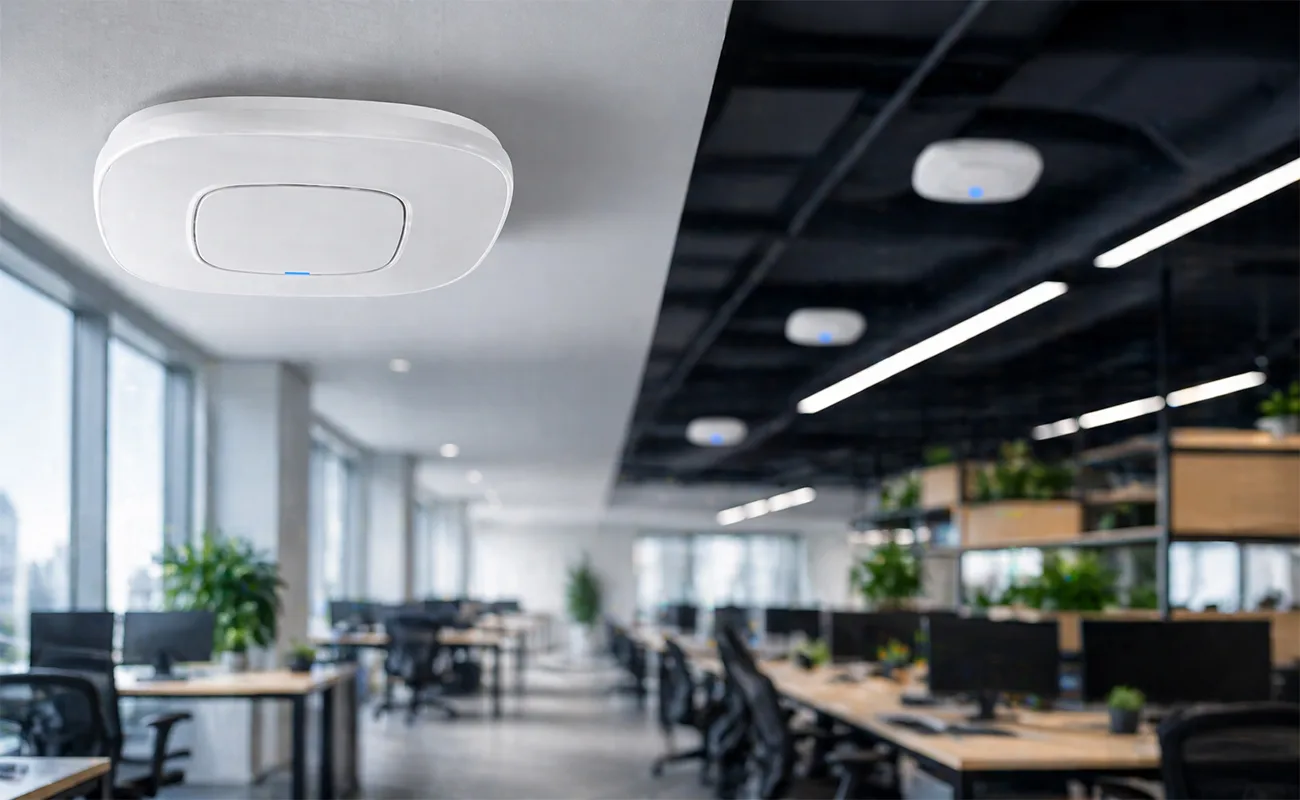
- Mount APs on the ceiling
- Avoid walls and metal obstacles
- Place APs in central locations
- Don’t cluster APs too close together
Common Mistakes to Avoid
❌ Using home routers instead of business APs
❌ Installing too few access points
❌ Ignoring interference (walls, devices)
❌ Not enabling security features
❌ Poor placement
Benefits of Affordable Access Points
- Lower upfront cost
- Easy deployment
- Scalable infrastructure
- Strong performance for SMB needs
Final Thoughts
Affordable access points can deliver fast, stable, and secure without breaking your budget. The key is choosing the right model based on your business size, user load, and future growth plans.
Whether you go with Ubiquiti, TP-Link, Aruba, or Cisco, investing in proper wireless infrastructure will significantly improve your business operations
For larger spaces, check out our guide on Top-Rated Access Points for Smart Offices and Large Spaces for more powerful Wi-Fi solutions.