















VLANs Explained: 8 Powerful Reasons Businesses Use Managed Switches

VLANs Explained is one of the most important networking concepts for businesses that need better security, organization, and control over their network infrastructure. As companies add more employees, devices, applications, IP phones, access points, servers, and IoT equipment, keeping everything on one flat network can create unnecessary security and performance challenges.
Managed switches provide the configuration capabilities needed to create and control Virtual Local Area Networks (VLANs). Instead of treating every connected device as part of the same logical network, VLAN technology allows administrators to separate devices and traffic into different logical segments while using the same physical switching infrastructure.
For example, a business may create separate VLANs for employees, guests, voice communications, security cameras, servers, and management devices. These groups can use the same physical network but remain logically separated according to the organization’s requirements.
This guide explains VLANs in practical terms and covers 8 important reasons businesses use managed switches for VLAN-based networks, including security, traffic control, performance, scalability, troubleshooting, and centralized network management.
If your organization is planning to improve its network infrastructure, understanding VLANs can help you determine whether managed switching is appropriate for your environment.
What Is a VLAN?
A VLAN, or Virtual Local Area Network, is a logical network segment created within a physical network.
Without VLANs, devices connected to the same Layer 2 network may belong to the same broadcast domain. VLANs allow network administrators to divide that physical infrastructure into multiple logical networks.
For example, imagine a company with:
- 30 employee computers
- 10 IP phones
- 8 security cameras
- 5 wireless access points
- Several servers
- Guest devices
Instead of placing every device into one network, an administrator could create separate VLANs such as:
| VLAN | Purpose | Example Devices |
|---|---|---|
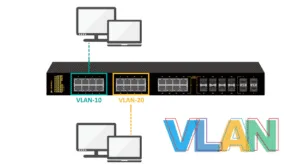
| VLAN 10 | Employees | PCs and laptops |
| VLAN 20 | Voice | IP phones |
| VLAN 30 | Security | IP cameras |
| VLAN 40 | Guest | Visitor devices |
| VLAN 50 | Servers | Business servers |
| VLAN 99 | Management | Network equipment |
This logical separation can make the network easier to secure, manage, troubleshoot, and scale.
A VLAN does not necessarily require a separate physical switch for every department. Instead, VLAN configuration on managed switches allows multiple logical networks to operate through the same physical infrastructure.
For businesses with growing networking requirements, this flexibility can be extremely useful.
How Do VLANs Work?
VLANs operate primarily at Layer 2 of the OSI model, using VLAN identifiers to logically separate Ethernet traffic.
When a network administrator assigns a switch port to a specific VLAN, devices connected to that port become members of that logical network.
There are two common types of switch ports used with VLANs:
Access Ports
An access port normally carries traffic for one VLAN.
For example, a port connected to an employee computer could be configured as an access port for the employee VLAN.
A port connected to an IP phone may be configured to support the appropriate voice network configuration.
Trunk Ports
A trunk port can carry traffic belonging to multiple VLANs between networking devices.
Trunk links are commonly used between:
- Switches
- Switches and routers
- Switches and Layer 3 switches
- Switches and wireless infrastructure
- Switches and other VLAN-aware network devices
VLAN tagging protocols such as IEEE 802.1Q allow VLAN information to be carried across trunk links.
This makes VLANs particularly useful in larger environments where multiple switches need to support the same logical networks.
Why Do Businesses Need VLANs?
A flat network may be adequate for a very small environment with limited devices. However, as a business grows, different types of traffic often require different security policies, performance expectations, and access controls.
Consider a company where employees, visitors, cameras, phones, and servers all share the same network.
Without appropriate segmentation, a compromised device could potentially have greater network visibility than necessary. Broadcast traffic can also affect larger networks, while troubleshooting becomes more complicated because many different device types share the same logical environment.
VLANs provide a method for organizing this traffic logically.
However, the benefits of VLANs depend heavily on proper configuration. This is where managed switches become important.
8 Powerful Reasons Businesses Use Managed Switches for VLANs
1. Better Network Segmentation
The first major reason businesses use managed switches is to create logical network segmentation.
Network segmentation separates different groups of devices and traffic according to business or technical requirements.
For example, a company could separate:
- Employees
- Guests
- Voice traffic
- Security cameras
- Servers
- Printers
- IoT devices
- Network management
Each group can have its own VLAN.
This approach makes the network structure easier to understand and gives administrators greater control over how different devices communicate.
For instance, guest devices may need Internet access but should not have unrestricted access to internal servers. A dedicated guest VLAN can help support this type of architecture when combined with appropriate routing and security policies.
Similarly, security cameras may need to communicate with recording systems without being placed on the same logical network as employee workstations.
Why segmentation matters
Network segmentation can help businesses:
- Organize devices logically
- Separate different types of traffic
- Apply different security policies
- Simplify network administration
- Reduce unnecessary communication between network segments
Managed switches provide the VLAN configuration capabilities required to implement this type of segmentation.
Explore professional network hardware from Smart Vision UAE to build a more organized and scalable business infrastructure.
2. Improved Network Security
Security is another major reason businesses implement VLANs.
A VLAN by itself is not a complete security solution. However, VLAN segmentation can provide an important foundation for controlling communication between different groups of devices.
For example, consider a business with a dedicated server VLAN and an employee VLAN.
Instead of allowing unrestricted Layer 2 communication between all devices, network administrators can use routing and security policies to determine which traffic is permitted between these networks.
A separate guest VLAN can also help prevent visitors from being placed directly on the same logical network as internal business systems.
Common security-oriented VLAN designs
A business might create:
- Employee VLAN
- Guest VLAN
- Server VLAN
- Voice VLAN
- IoT VLAN
- Camera VLAN
- Management VLAN
Each VLAN can then be incorporated into a broader security architecture.
Depending on the network design, inter-VLAN traffic can be controlled using routers, Layer 3 switches, firewalls, access-control mechanisms, and other security technologies.
The important point is that VLANs provide logical boundaries that can support a more structured security strategy.
Strengthen your network architecture with enterprise switching hardware selected for your organization’s security and segmentation requirements.
3. Reduced Broadcast Traffic
Another important advantage of VLANs is the ability to divide a large Layer 2 broadcast domain into smaller logical broadcast domains.
Broadcast traffic is traffic intended for multiple devices within a broadcast domain. In a large flat network, unnecessary broadcast traffic can reach a substantial number of devices.
By separating departments and device groups into different VLANs, businesses can limit the scope of Layer 2 broadcasts.
For example, instead of having one large broadcast domain containing hundreds of devices, an organization can divide the network into several VLANs.
This does not automatically eliminate all network congestion, but it can create a more structured Layer 2 environment.
Example
A company with 200 connected devices could potentially organize them into:
- VLAN 10 – Administration
- VLAN 20 – Sales
- VLAN 30 – Operations
- VLAN 40 – Voice
- VLAN 50 – Guest
- VLAN 60 – Cameras
Each VLAN represents a separate logical broadcast domain.
This structure can make larger networks easier to manage and can help limit the scope of certain types of Layer 2 traffic.
Build a cleaner network architecture with switching equipment designed for structured enterprise deployments.
4. Better Performance and Traffic Organization
Businesses increasingly depend on applications that generate substantial network traffic.
Video conferencing, cloud applications, VoIP, surveillance systems, file transfers, virtualization, and business applications can all compete for network resources.
VLANs help administrators organize traffic according to its purpose.
For example, voice traffic can be placed in a dedicated voice VLAN while employee data remains on another VLAN.
This separation can make it easier to implement Quality of Service (QoS) policies and prioritize traffic where required.
VLANs and QoS
VLAN segmentation and QoS solve different problems, but they can work together.
A VLAN provides logical separation, while QoS can help prioritize certain types of traffic.
For example:
Voice VLAN → QoS policy → Voice traffic receives appropriate priority
This architecture can be particularly useful for businesses that rely heavily on IP telephony.
Similarly, administrators can create separate network segments for cameras, IoT devices, or business applications and then design traffic policies according to operational requirements.
Improve traffic organization with managed switching infrastructure that supports modern business applications.
5. Easier Network Management
Managing a large flat network can become increasingly difficult as the number of devices grows.
Managed switches provide administrators with configuration and monitoring capabilities that are not typically available on basic unmanaged switches.
Through a managed switch, administrators can configure:
- VLAN IDs
- Access ports
- Trunk ports
- Port security
- QoS policies
- Link aggregation
- Spanning Tree settings
- Monitoring features
- Management access
This level of control allows network teams to establish consistent configurations across different parts of the infrastructure.
For example, if a new employee joins the company, the administrator can assign the appropriate switch port to the employee VLAN rather than redesigning the physical network.
If a department moves to another office area, its logical network configuration can potentially remain consistent even when physical connectivity changes.
This separation between physical infrastructure and logical network organization is one of the most useful aspects of VLAN-based networking.
Simplify network administration with managed switches that provide the configuration flexibility modern businesses need.
6. Greater Scalability as the Business Grows
Business networks rarely remain static.
Companies add employees, departments, offices, devices, wireless access points, cameras, phones, and cloud-connected systems over time.
A network architecture that works for 20 devices may not be appropriate for 200 or 2,000 devices.
VLANs can provide a scalable method for organizing growing networks.
Instead of creating a completely separate physical network for every department or device type, administrators can use VLANs to create logical segmentation across shared switching infrastructure.
For example, a business may start with:
- Employee VLAN
- Guest VLAN
- Management VLAN
Later, it could add:
- Voice VLAN
- Camera VLAN
- Server VLAN
- IoT VLAN
- Printer VLAN
This approach allows the logical network structure to evolve alongside the organization’s requirements.
VLANs across multiple switches
VLANs become particularly powerful when multiple managed switches are connected using trunk links.
The same VLANs can be extended across different physical switches, depending on the network architecture.
This is useful for:
- Multi-floor offices
- Large campuses
- Warehouses
- Hotels
- Educational institutions
- Multi-building environments
Prepare your infrastructure for future expansion with scalable enterprise switching hardware from Smart Vision UAE.
7. Better Troubleshooting and Network Visibility
When all devices share the same logical network, identifying the source of a problem can be more difficult.
VLANs can make troubleshooting more structured by separating traffic into logical groups.
For example, if users report problems with IP phones but employee computers are working normally, the network administrator can investigate the voice VLAN separately.
Likewise, if camera traffic is causing unexpected network activity, administrators can focus on the dedicated surveillance VLAN.
Managed switches also provide monitoring and diagnostic features that can help administrators investigate:
- Port utilization
- Interface errors
- Link status
- Traffic patterns
- VLAN assignments
- Device connectivity
- Configuration issues
This can reduce the amount of time required to identify certain network problems.
Example troubleshooting process
Imagine employees report that applications are slow.
Instead of examining every device individually, the network administrator can begin by checking:
- Which VLANs are affected?
- Are specific switch ports showing errors?
- Is a particular uplink saturated?
- Is one VLAN generating unusually high traffic?
- Are QoS policies configured correctly?
- Are there routing or firewall restrictions between VLANs?
This structured approach can make troubleshooting more efficient.
Choose network hardware with management and monitoring capabilities that help IT teams maintain reliable connectivity.
8. Flexible Access Control and Policy Management
The eighth major reason businesses use managed switches for VLANs is greater flexibility when applying network policies.
Different users and devices often require different levels of network access.
An organization may want:
- Employees to access internal applications
- Guests to access the Internet
- Cameras to communicate with recording systems
- Phones to access communication services
- IoT devices to reach specific platforms
- Administrators to access network management interfaces
Putting all these devices into one logical network can make policy enforcement more complicated.
VLANs allow administrators to establish logical groups that can then be incorporated into routing and access-control policies.
For example:
Guest VLAN → Internet access
Employee VLAN → Internal applications + Internet
Camera VLAN → Recording system + approved services
Management VLAN → Network administration
This type of architecture does not replace a firewall or other security controls, but it provides a useful organizational foundation.
Create a more controlled enterprise network with managed switching solutions built around your organization’s access requirements.
Managed vs Unmanaged Switches for VLANs
One of the most common questions businesses ask is whether an unmanaged switch can support VLANs.
In general, traditional unmanaged switches do not provide the configuration capabilities required to create and manage VLANs in the same way that managed switches do.
Managed switches provide administrators with access to configuration interfaces and networking features.
| Feature | Managed Switch | Unmanaged Switch |
|---|---|---|
| VLAN Configuration | Yes | Generally No |
| Port Configuration | Advanced | Limited |
| Traffic Monitoring | Yes | Limited |
| QoS Configuration | Often Available | Limited or None |
| Security Features | Advanced | Basic |
| Trunk Configuration | Yes | Generally No |
| Network Visibility | Higher | Low |
| Enterprise Scalability | High | Limited |
| Centralized Management | Depending on platform | No |
| Suitable for Complex Networks | Yes | Limited |
For simple networks with minimal configuration requirements, unmanaged switches may be sufficient.
For businesses requiring segmentation, traffic control, monitoring, and centralized administration, managed switches provide substantially greater configuration flexibility.
Access VLAN vs Trunk VLAN
Understanding the difference between access and trunk configurations is important when designing VLAN-based networks.
Access VLAN
An access port normally connects an endpoint to one VLAN.
Typical devices include:
- Desktop computers
- Printers
- IP cameras
- Certain IoT devices
- Other end-user equipment
For example:
Switch Port 10 → Access VLAN 20 → Employee PC
Trunk Link
A trunk link can transport traffic from multiple VLANs between VLAN-aware networking devices.
For example:
Switch A → Trunk → Switch B
The trunk can carry:
- VLAN 10
- VLAN 20
- VLAN 30
- VLAN 40
- VLAN 50
This makes trunking essential for networks where multiple switches need to support the same logical VLAN structure.
VLANs and Layer 3 Routing
VLANs provide Layer 2 segmentation, but devices in different VLANs generally need Layer 3 routing to communicate.
This process is called inter-VLAN routing.
Inter-VLAN routing can be performed by:
- Routers
- Layer 3 managed switches
- Firewalls, depending on the architecture
For example:
VLAN 10 – Employees
VLAN 20 – Servers
If employees need to access applications hosted on servers, routing between VLAN 10 and VLAN 20 is required.
The administrator can then apply appropriate security policies to control which communication is permitted.
This architecture gives organizations more control than simply placing all devices into one large network.
To better understand how VLAN segmentation works in different switching environments, explore our guide on Layer 2 vs Layer 3 Switchesand learn how each switching approach supports modern business networks.
VLANs for Different Business Environments
Different industries can use VLANs according to their operational requirements.
Offices
Office networks commonly separate:
- Employees
- Guests
- Voice
- Printers
- Management
This helps organize users and business devices while providing greater control over network traffic.
Hotels and Hospitality
Hotels may need separate logical networks for:
- Guest Wi-Fi
- Staff systems
- Payment systems
- Security cameras
- Building management
- Administrative systems
VLAN segmentation can help keep these environments logically separated.
Education
Schools and universities may have thousands of users and devices.
VLANs can help separate:
- Students
- Faculty
- Administration
- Guest users
- Servers
- Security systems
This can make network management more structured across large campuses.
Healthcare
Healthcare environments often contain a wide range of devices and systems.
Depending on the organization’s architecture, separate VLANs may be used for:
- Administrative systems
- Medical devices
- Voice
- Guest access
- Security systems
- Infrastructure management
Network segmentation should always be designed alongside appropriate security and compliance requirements.
Retail
Retail organizations may use VLANs to separate:
- Point-of-sale systems
- Employee devices
- Guest Wi-Fi
- Cameras
- Inventory devices
- Corporate systems
This can help create clearer boundaries between business-critical systems and general user traffic.
Common VLAN Configuration Mistakes
VLANs provide significant benefits, but incorrect configuration can create connectivity and security problems.
Using the Same VLAN for Everything
A common mistake is creating VLANs but placing most devices into one logical network anyway.
Segmentation should have a clear purpose.
Incorrect VLAN Assignment
Assigning a switch port to the wrong VLAN can prevent users or devices from accessing the resources they need.
Documentation and consistent port configuration are important.
Misconfigured Trunk Ports
Incorrect trunk configuration can prevent VLAN traffic from reaching another switch.
Administrators should verify which VLANs are permitted across each trunk.
Ignoring Inter-VLAN Security
Creating separate VLANs does not automatically mean that communication between them is secure.
Routing and firewall policies should be reviewed carefully.
Poor VLAN Documentation
As networks grow, undocumented VLANs can become difficult to manage.
Maintain documentation showing:
- VLAN ID
- VLAN name
- Purpose
- IP subnet
- Gateway
- Assigned devices
- Security policies
Good documentation can significantly simplify future troubleshooting.
VLAN Best Practices for Businesses
A successful VLAN deployment should begin with a clear network design rather than simply creating VLAN numbers.
Consider the following best practices:
1. Define the Purpose of Every VLAN
Every VLAN should have a clear reason for existing.
2. Use Consistent VLAN Naming
Names such as Employee, Guest, Voice, Camera, Server, and Management are easier to understand than random labels.
3. Keep Documentation Updated
Record VLAN IDs, subnets, gateways, switch assignments, and security policies.
4. Protect the Management VLAN
Network management interfaces should not be exposed unnecessarily to ordinary users.
5. Review Trunk Configurations
Only required VLANs should be carried across trunk links where the architecture allows.
6. Use Security Policies Between VLANs
Inter-VLAN communication should be controlled according to business requirements.
7. Plan for Future Growth
Leave room for additional departments, devices, locations, and services.
8. Monitor the Network
Use managed-switch monitoring features and network management platforms to identify problems early.
VLANs and Modern Network Infrastructure
Modern enterprise networks increasingly combine wired switching with wireless access, cloud applications, security platforms, IoT devices, and centralized management.
This makes logical segmentation more important.
A business may have employees working from laptops over Wi-Fi while servers remain on wired infrastructure. IP phones may share physical connections with computers, while cameras and IoT devices use separate network segments.
Managed switches act as an important part of this infrastructure because they can provide the VLAN configuration and traffic-handling capabilities needed to support these different environments.
When combined with routers, firewalls, wireless controllers or access points, identity systems, and monitoring platforms, VLANs can become part of a broader network architecture.
How to Plan a VLAN-Based Network
Before purchasing or configuring managed switches, businesses should answer several questions.
Step 1: Identify Device Groups
List the main categories of devices connected to the network.
Step 2: Identify Security Requirements
Determine which devices should communicate with each other and which should remain isolated.
Step 3: Define VLANs
Create logical network segments based on business and technical requirements.
Step 4: Define IP Subnets
Each VLAN typically requires an appropriate IP subnet when using routed communication between VLANs.
Step 5: Determine Switch Requirements
Consider:
- Number of ports
- Port speeds
- PoE requirements
- Uplink speeds
- VLAN support
- Layer 3 capabilities
- Management options
- Redundancy
Step 6: Plan Trunk Connections
Determine where VLAN traffic needs to travel between switches or other network devices.
Step 7: Configure Security Policies
Define which VLANs can communicate and under what conditions.
Step 8: Document the Architecture
Maintain updated diagrams and configuration records.
This planning process can reduce configuration problems and make future expansion easier.
How Smart Vision UAE Supports Enterprise Network Hardware Requirements
Selecting the right switching hardware is an important part of building a VLAN-ready network.
Smart Vision UAE provides access to a range of enterprise IT hardware for organizations evaluating networking infrastructure, including switches and other networking equipment.
Businesses can evaluate equipment according to practical requirements such as:
- Port density
- Network speed
- PoE requirements
- Uplink capabilities
- VLAN support
- Layer 2 and Layer 3 functionality
- Management capabilities
- Deployment environment
- Scalability
The right hardware depends on the organization’s network architecture, device count, traffic requirements, and future expansion plans.
For organizations sourcing enterprise networking equipment, Smart Vision UAE can be part of the hardware procurement process by helping customers evaluate available equipment according to their technical requirements.
Review enterprise networking hardware from Smart Vision UAE when planning your next switching infrastructure upgrade.
VLANs Explained: Quick Comparison
The following table summarizes the main reasons businesses use VLANs with managed switches:
| Business Requirement | How VLANs Help |
|---|---|
| Network Segmentation | Separates users and devices logically |
| Security | Supports controlled communication between network groups |
| Performance | Helps organize traffic and broadcast domains |
| Management | Makes network configuration more structured |
| Scalability | Supports expansion across multiple switches |
| Troubleshooting | Helps isolate traffic and device groups |
| Access Control | Supports policy-based network architecture |
| Traffic Organization | Separates voice, data, cameras, servers, and other traffic |
Frequently Asked Questions About VLANs Explained
What is a VLAN in simple terms?
A VLAN is a logical network created inside a physical network. It allows administrators to separate devices and traffic into different network segments without necessarily requiring separate physical switches for each group.
Why do businesses use VLANs?
Businesses use VLANs to organize network traffic, improve segmentation, support security policies, reduce broadcast-domain size, simplify management, and create scalable network architectures.
Do VLANs require managed switches?
VLAN configuration generally requires VLAN-aware managed or smart switching equipment. Traditional unmanaged switches do not provide the same VLAN configuration and management capabilities.
What is the difference between an access port and a trunk port?
An access port normally carries traffic for one VLAN and is commonly used for endpoint devices. A trunk port can carry traffic from multiple VLANs between VLAN-aware network devices.
Can devices in different VLANs communicate?
Yes, but communication between different VLANs requires Layer 3 routing. A router, Layer 3 switch, or appropriate firewall architecture can provide inter-VLAN routing.
Are VLANs a security feature?
VLANs provide network segmentation that can support a security architecture, but VLANs alone should not be considered a complete security solution. Firewalls, access controls, authentication, monitoring, and other security measures may also be required.
Can VLANs improve network performance?
VLANs can help organize network traffic and reduce the scope of Layer 2 broadcast domains. However, overall performance also depends on switch capacity, uplink bandwidth, network topology, routing, QoS, and application traffic.
Can VLANs be used across multiple switches?
Yes. VLANs can be carried between multiple managed switches using appropriately configured trunk links.
How many VLANs does a business need?
There is no universal number. The appropriate VLAN structure depends on the organization’s users, devices, security requirements, applications, locations, and network architecture.
Final Thoughts
Understanding VLANs Explained is essential for businesses planning modern and scalable network infrastructure. VLANs allow organizations to divide a physical network into logical segments, making it easier to organize users, devices, applications, and different types of traffic.
The eight major benefits include better segmentation, improved security architecture, reduced broadcast scope, organized traffic, easier management, scalability, improved troubleshooting, and greater flexibility when implementing network policies.
Managed switches provide the configuration capabilities needed to turn these concepts into a practical network architecture. When VLANs are combined with Layer 3 routing, firewalls, QoS, authentication, monitoring, and other network technologies, businesses can build infrastructure that is easier to control and adapt as requirements change.
For organizations evaluating new switching hardware, VLAN support should be considered alongside port count, speed, PoE, uplink capacity, Layer 3 capabilities, management options, security requirements, and future scalability.
Smart Vision UAE provides enterprise IT hardware for businesses evaluating networking infrastructure and can be a useful source when comparing switching equipment for different deployment requirements.
For more insights into choosing and using managed switches, explore our guide to 6 Managed Switch Features That Improve Network Performance and discover the key features that can help optimize your business network.