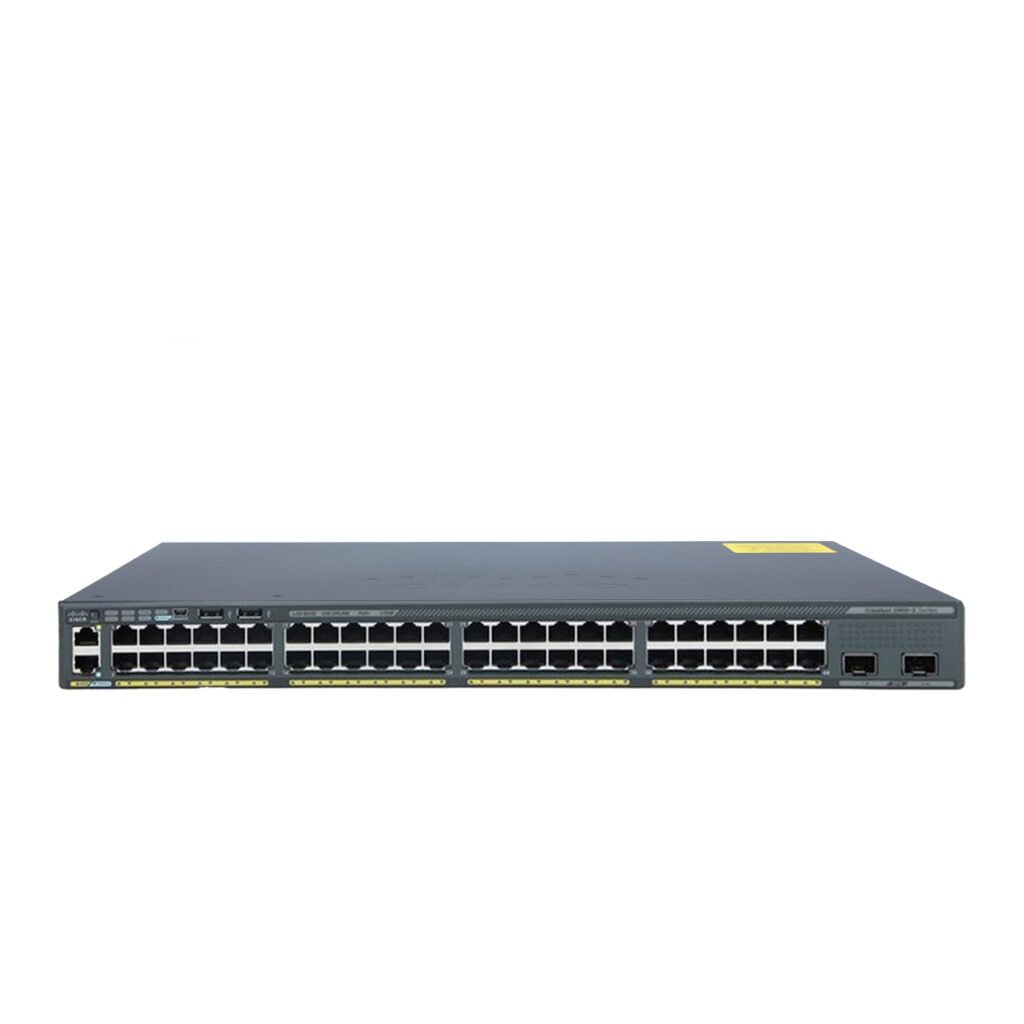
















Layer 2 vs Layer 3 Switches: 8 Essential Differences Every IT Team Should Know

Choosing the right network switch is one of the most important decisions when designing an efficient business network. Understanding Layer 2 vs Layer 3 Switches helps IT teams build networks that are fast, secure, scalable, and easy to manage.
While both switch types connect devices within a network, they serve different purposes. Layer 2 switches focus on forwarding traffic within the same local network, whereas Layer 3 switches add routing capabilities that allow communication between different networks and VLANs.
Whether you’re expanding an office, upgrading enterprise infrastructure, or planning a new data center, selecting the correct switch can significantly improve network performance and simplify management.
At Smart Vision UAE, businesses can find a wide range of enterprise networking solutions designed to meet modern infrastructure requirements, from access-layer switches to advanced Layer 3 switching platforms.
What Is a Layer 2 Switch?
A Layer 2 switch operates at the Data Link Layer (Layer 2) of the OSI model.
Its primary responsibility is forwarding Ethernet frames based on MAC addresses. Every device connected to the switch has a unique MAC address, allowing the switch to learn where each device is located and forward traffic only to the intended destination.
Instead of broadcasting every frame across the network like an old hub, a Layer 2 switch intelligently builds a MAC address table, improving efficiency and reducing unnecessary traffic.
Layer 2 switches are commonly used in:
- Office LANs
- Small businesses
- School networks
- Branch offices
- Access layer deployments
Their simplicity makes them cost-effective while providing excellent performance for local communication.
Looking for reliable Layer 2 switching solutions? Smart Vision UAE offers enterprise-grade networking hardware for businesses of every size.
What Is a Layer 3 Switch?
Unlike Layer 2 devices, a Layer 3 switch combines traditional switching with routing capabilities.
Operating at the Network Layer (Layer 3), it forwards packets using IP addresses while maintaining the high-speed switching performance expected in modern enterprise networks.
Layer 3 switches are commonly deployed when organizations need:
- Inter-VLAN routing
- Network segmentation
- High-speed routing
- Better traffic management
- Enhanced scalability
Instead of sending traffic to an external router for every subnet, a Layer 3 switch performs routing internally, reducing latency and improving overall network efficiency.
Large enterprises, campuses, and data centers frequently rely on Layer 3 switches because they simplify infrastructure while increasing performance.
Upgrade your enterprise network with advanced switching solutions available through Smart Vision UAE.
Understanding the OSI Layer Difference
One of the easiest ways to understand Layer 2 vs Layer 3 Switches is by examining the OSI model.
| Feature | Layer 2 | Layer 3 |
|---|---|---|
| OSI Layer | Data Link | Network |
| Address Used | MAC Address | IP Address |
| Main Function | Switching | Switching + Routing |
| VLAN Routing | No | Yes |
| Routing Protocols | No | Yes |
| Network Segmentation | Limited | Advanced |
| Scalability | Moderate | High |
Although both devices are called switches, their internal functions are quite different.
8 Essential Differences Between Layer 2 vs Layer 3 Switches
Understanding the differences between Layer 2 vs Layer 3 Switches is essential for choosing the right networking equipment. Although both devices improve communication across a network, they differ significantly in functionality, scalability, and deployment scenarios.
Below are the eight most important differences every IT team should know.
1. Operating Layer
The most obvious distinction is the OSI layer where each switch operates.
A Layer 2 switch functions at the Data Link Layer, forwarding Ethernet frames using MAC addresses. It focuses on communication between devices within the same network segment.
A Layer 3 switch operates at the Network Layer, where it forwards packets using IP addresses while also providing traditional Layer 2 switching capabilities.
This additional functionality enables Layer 3 switches to perform routing without relying on a separate router for internal network communication.
| Layer 2 Switch | Layer 3 Switch |
|---|---|
| Data Link Layer | Network Layer |
| MAC-based forwarding | IP-based routing |
| Switching only | Switching + Routing |
Explore enterprise networking solutions from Smart Vision UAE to build a network that supports your business growth.
2. Traffic Forwarding Method
Another major difference in Layer 2 vs Layer 3 Switches is how they make forwarding decisions.
Layer 2 switches use a MAC address table to determine where frames should be delivered. Once the destination MAC address is learned, traffic is forwarded directly to the correct port.
Layer 3 switches use routing tables and IP addresses to determine the best path for packets traveling between different networks or VLANs.
Because routing decisions are handled directly within the switch hardware, communication remains extremely fast even in large enterprise environments.
3. VLAN Support and Inter-VLAN Routing
Both switch types support VLAN creation.
However, only Layer 3 switches can route traffic between VLANs without requiring an external router.
For example:
- Finance VLAN
- HR VLAN
- Sales VLAN
- IT VLAN
A Layer 2 switch keeps these VLANs isolated.
A Layer 3 switch allows controlled communication between them using routing policies.
This makes Layer 3 switching an excellent choice for organizations that require secure segmentation while maintaining seamless collaboration between departments.
4. Routing Capabilities
Routing is where Layer 3 switches truly stand apart.
Layer 2 switches cannot route traffic between different IP networks.
Layer 3 switches support:
- Static Routing
- Dynamic Routing
- Inter-VLAN Routing
- Default Routes
- Policy-Based Routing (on supported models)
Many enterprise-grade Layer 3 switches also support routing protocols such as:
- OSPF
- RIP
- BGP (selected models)
- VRRP
These capabilities make them suitable for complex business infrastructures.
Smart Vision UAE provides scalable Layer 3 networking solutions designed for growing organizations.

5. Network Performance
Performance is another key consideration.
Layer 2 switches deliver excellent speed for local traffic because forwarding decisions are straightforward and based on MAC addresses.
Layer 3 switches perform additional routing tasks, but modern enterprise models use specialized hardware (ASICs) to process routing at wire speed. This means organizations can enjoy advanced routing without sacrificing performance.
For businesses with multiple departments, cloud services, and high-volume traffic, Layer 3 switches often deliver better overall efficiency.
6. Scalability
As businesses grow, scalability becomes increasingly important.
Layer 2 switches are ideal for:
- Small offices
- Retail stores
- Classrooms
- Basic office networks
However, expanding these environments often requires additional routers and more complex configurations.
Layer 3 switches simplify expansion by supporting:
- Larger routing tables
- Multiple VLANs
- High-speed backbone connections
- Enterprise segmentation
- Data center growth
This flexibility makes them a preferred choice for organizations planning long-term network expansion.
7. Security Features
Security is another area where Layer 2 vs Layer 3 Switches differ.
Layer 2 switches commonly provide:
- Port Security
- MAC Address Filtering
- Loop Prevention (STP)
- VLAN Isolation
Layer 3 switches build upon these capabilities by adding advanced features such as:
- Access Control Lists (ACLs)
- IP-Based Traffic Filtering
- Route Policies
- Secure Inter-VLAN Communication
- Traffic Segmentation
These additional security capabilities help businesses protect sensitive data while maintaining efficient communication across departments.
8. Typical Use Cases
Choosing between Layer 2 and Layer 3 depends largely on the network environment.
Layer 2 Switches are ideal for:
- Small offices
- Workgroups
- Classrooms
- Basic LAN deployments
- Edge access networks
Layer 3 Switches are ideal for:
- Enterprise headquarters
- Data centers
- Campus networks
- Government organizations
- Healthcare facilities
- Educational institutions
- Large corporate offices
Organizations experiencing rapid growth often deploy Layer 2 switches at the access layer while using Layer 3 switches at the distribution or core layer for routing and traffic management.
Quick Comparison Table
| Feature | Layer 2 Switch | Layer 3 Switch |
|---|---|---|
| Uses MAC Addresses | ✔ | ✔ |
| Uses IP Addresses | ✖ | ✔ |
| Supports Routing | ✖ | ✔ |
| Inter-VLAN Routing | ✖ | ✔ |
| Best for Small LANs | ✔ | ✔ |
| Best for Enterprise Networks | Limited | ✔ |
| Supports Dynamic Routing | ✖ | ✔ |
| Higher Scalability | Limited | ✔ |
Whether you need Layer 2 switches for efficient access networking or Layer 3 switches for advanced routing, Smart Vision UAE offers dependable solutions to help you build a secure and scalable infrastructure.
Layer 2 Switch Advantages
Layer 2 switches remain one of the most widely used networking devices because they deliver excellent performance for local network communication while keeping infrastructure simple and cost-effective. For organizations that primarily need device-to-device connectivity within the same network, Layer 2 switches provide an efficient solution.
Some of the key advantages include:
High-Speed Local Traffic
Layer 2 switches forward frames using MAC addresses, allowing devices on the same LAN to communicate with minimal delay. Since they do not perform complex routing decisions, they can handle local traffic very efficiently.
Affordable Deployment
Compared to Layer 3 switches, Layer 2 models are generally more budget-friendly. This makes them an excellent option for startups, small businesses, branch offices, and educational environments that require reliable connectivity without advanced routing features.
Easy Configuration
Layer 2 switches are relatively straightforward to deploy and manage. Basic configurations such as VLAN creation, port assignment, and security settings can often be completed quickly, reducing deployment time and ongoing maintenance.
Reliable Network Performance
Modern Layer 2 switches offer features such as Quality of Service (QoS), VLAN support, Link Aggregation, and Spanning Tree Protocol (STP), helping maintain stable network performance and prevent common network issues.
Energy Efficiency
Many enterprise-grade Layer 2 switches include energy-saving technologies that automatically optimize power consumption based on traffic levels and connected devices, reducing operational costs over time.
Smart Vision UAE offers reliable Layer 2 switches that provide fast, secure, and cost-effective connectivity for businesses of all sizes.
Layer 3 Switch Advantages
Layer 3 switches combine high-speed switching with advanced routing capabilities, making them an ideal choice for organizations with growing or complex network infrastructures.
Built-In Routing
One of the biggest advantages is the ability to perform routing directly within the switch. This eliminates the need for separate routers when managing communication between multiple VLANs or subnets.
Improved Scalability
As businesses expand, additional departments, locations, and services often require more network segmentation. Layer 3 switches make it easier to support this growth without significantly increasing infrastructure complexity.
Better Traffic Management
Layer 3 switches intelligently direct traffic based on IP addresses, helping optimize network performance and reduce congestion. This becomes especially important in environments with cloud applications, VoIP, video conferencing, and large file transfers.
Enhanced Security
Advanced routing features allow administrators to apply Access Control Lists (ACLs), traffic filtering, and network segmentation to better protect sensitive resources.
Reduced Network Latency
Because routing occurs within the switch hardware instead of passing traffic through external routers, communication between VLANs is significantly faster, improving application responsiveness.
Simplified Network Architecture
Replacing multiple standalone routing devices with Layer 3 switches can reduce hardware requirements, simplify management, and improve overall reliability.
Discover enterprise-grade Layer 3 switching solutions at Smart Vision UAE to support secure, high-performance business networks.
When Should You Choose a Layer 2 Switch?
Understanding Layer 2 vs Layer 3 Switches also means recognizing when each type is the better fit.
A Layer 2 switch is often the right choice if your organization primarily needs local connectivity without advanced routing.
Typical scenarios include:
- Small business offices
- Retail stores
- Clinics
- Libraries
- Schools
- Small warehouses
- Branch offices
- Temporary workspaces
If all connected devices belong to the same network and communication rarely crosses different subnets, Layer 2 switches provide excellent value.
They are also commonly deployed at the access layer, where employee computers, printers, IP phones, wireless access points, and surveillance cameras connect to the network.

When Should You Choose a Layer 3 Switch?
Organizations with larger or more complex infrastructures typically benefit from Layer 3 switches.
A Layer 3 switch becomes the preferred solution when your network requires:
- Multiple VLANs
- Inter-VLAN routing
- Departmental segmentation
- High-performance internal routing
- Large user populations
- Centralized network management
- Enterprise security policies
- Data center connectivity
Businesses planning future expansion often deploy Layer 3 switches from the beginning to minimize future upgrades and simplify network growth.
Common Deployment Scenarios
One of the easiest ways to understand Layer 2 vs Layer 3 Switches is by looking at real-world deployments.
Small Office Network
A small office with fewer than 30 employees typically uses a Layer 2 switch connected to an internet router. Devices communicate locally while internet access is managed by the router.
Corporate Headquarters
Large organizations usually deploy Layer 2 switches at the access layer and Layer 3 switches at the distribution layer. This architecture enables efficient routing between departments while maintaining high-speed local connectivity.
Educational Campuses
Universities often have separate VLANs for students, faculty, administration, and guest users. Layer 3 switches route traffic securely between these networks while enforcing access policies.
Healthcare Facilities
Hospitals require network segmentation to separate medical equipment, patient records, staff devices, and guest networks. Layer 3 switches improve both performance and security in these environments.
Data Centers
Modern data centers depend on Layer 3 switches for high-speed routing between servers, storage systems, virtualization platforms, and cloud services. Their ability to process large amounts of traffic with minimal latency makes them essential for mission-critical applications.
Best Industries for Each Switch Type
Different industries have different networking requirements.
Industries That Commonly Use Layer 2 Switches
- Small businesses
- Retail stores
- Restaurants
- Hotels
- Schools
- Local government offices
- Professional service firms
Industries That Benefit from Layer 3 Switches
- Enterprise corporations
- Financial institutions
- Healthcare organizations
- Manufacturing facilities
- Universities
- Government agencies
- Cloud service providers
- Data centers
- Telecommunications companies
Choosing the right switch depends on your organization’s size, network complexity, security requirements, and future growth plans—not just your current needs.
Whether you’re building a new network or upgrading an existing infrastructure, Smart Vision UAE can help you choose switching solutions that align with your performance and scalability goals.