















Access Points: How to Boost Office Professional Connectivity?


In today’s modern office, connectivity is everything. Slow Wi-Fi or frequent disconnections can drastically reduce productivity, frustrate employees, and even impact business operations. Investing in professional access points (APs) is one of the most effective ways to ensure a fast, reliable, and secure office network.
This guide explains how professional APs enhance office connectivity, what to look for, and practical tips for deployment.
1. Why Office Wi-Fi Needs Professional Access Points
Common Issues with Consumer-Grade Wi-Fi
Limited range and coverage
Poor performance with many simultaneous devices
Minimal security features
Lack of centralized management
Advantages of Professional Access Points
Professional APs offer:
High-speed connectivity with modern Wi-Fi standards (Wi-Fi 5 / Wi-Fi 6)
Enterprise-grade security and monitoring
Centralized management for multiple APs
Better handling of dense environments (conference rooms, open-plan offices)
Investing in professional APs ensures every corner of the office has reliable Wi-Fi, supporting video calls, cloud applications, and IoT devices.
2. Key Features to Look for in Professional Access Points
1. Wi-Fi Standard
Wi-Fi 5 (802.11ac) → Good for medium-density environments
Wi-Fi 6 (802.11ax) → Best for high-density offices and IoT devices
2. Multi-User MIMO (MU-MIMO)
Allows multiple devices to communicate simultaneously without slowing down the network.
3. Bandwidth and Throughput
Dual-band (2.4 GHz + 5 GHz) or tri-band APs
High throughput ensures smooth video conferencing and file sharing
4. Security Features
WPA3 encryption
Role-based access
Guest network isolation
Integration with enterprise firewalls
5. Centralized Management
Allows IT teams to:
Monitor all APs
Adjust channels automatically
Push updates without manual intervention
3. How Professional APs Improve Office Connectivity
1. Increased Coverage
Professional APs provide broader range and better penetration through walls and floors, minimizing dead spots.

2. High Device Density Support
In open offices, multiple employees and IoT devices connect simultaneously. Professional APs handle this without degrading speed.
3. Intelligent Client Management
Features like band steering and load balancing automatically connect devices to the best radio, optimizing performance.
4. Seamless Roaming
Users can move around the office without losing connection, essential for VoIP calls and mobile workstations.
5. Deployment Tips for Maximum Performance
Site Survey
Identify high-density areas, interference sources, and dead zones.
Optimal Placement
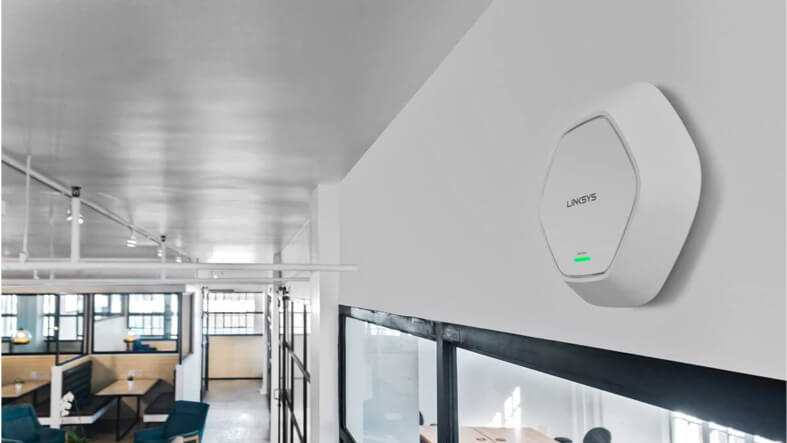
Ceiling or wall-mounted APs
Avoid metal objects and microwaves
Use Wi-Fi 6 Where Possible
Future-proofs the network
Handles more simultaneous devices
Segment Networks
Separate employee, guest, and IoT traffic
Improve security and performance
Monitor and Update
Regular firmware updates
Real-time network monitoring
5. Popular Professional Access Point Brands
Aruba Networks – Known for enterprise-grade APs (e.g., AP315, AP515)
Cisco Meraki – Cloud-managed APs with robust features
Ubiquiti UniFi – Affordable and scalable solutions
Ruckus Networks – High performance for dense deployments
TP-Link Omada – Budget-friendly professional APs
Choosing a trusted brand ensures reliable support, firmware updates, and long-term network stability.
6. Real-World Benefits for Offices
Faster and more reliable internet access
Improved employee productivity
Seamless video conferencing and cloud application usage
Enhanced IoT device connectivity
Simplified network management for IT teams
In modern offices, a stable Wi-Fi network is as important as electricity or HVAC.
7. Conclusion
Boosting office connectivity is not just about internet speed, but also how efficiently devices share bandwidth. Professional access points provide:
Enhanced coverage
High-density support
Advanced security
Centralized management
Whether your office is small or large, investing in professional APs is key to a productive, secure, and future-ready workspace.
“When looking to boost office professional connectivity, it’s also important to choose the right access point technology—learn more in our comparison of Wi-Fi 7 vs Wi-Fi 6E: Which Access Point Should You Choose?“