
















Best Professional Workstations for Designers and Engineers

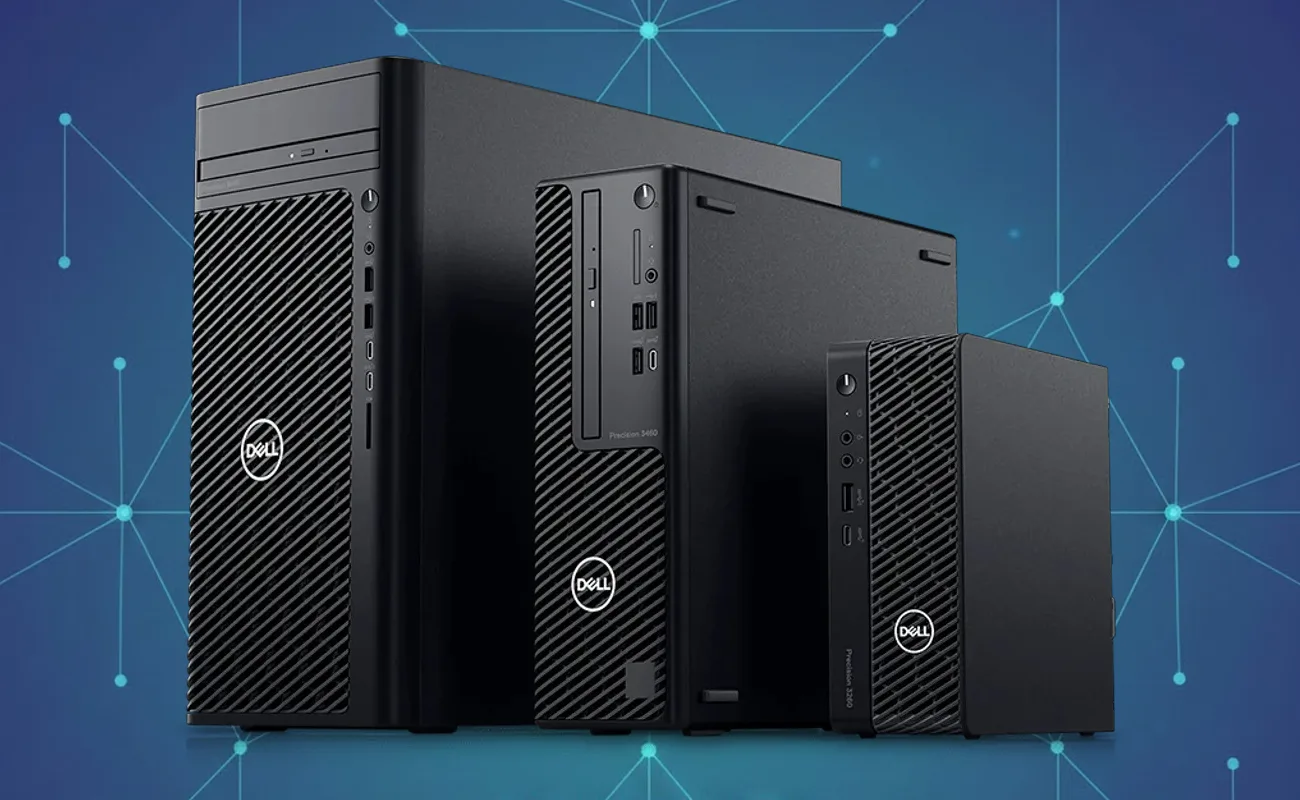
Best Professional Workstations for Designers and Engineers: A Complete Guide for High-Performance Workflows
Introduction: Why Choosing the Best Professional Workstation Matters for Technical Teams
Modern design and engineering teams depend on highly reliable, performance-driven hardware to keep up with demanding workloads. Whether you work in architecture, 3D animation, product engineering, manufacturing, simulation, or graphic design, choosing the best professional workstation for designers and engineers is essential for optimizing performance, reducing downtime, and ensuring project accuracy.
Compared to standard desktops or general consumer PCs, professional workstations deliver workstation-grade reliability, certified hardware, ECC memory, advanced GPUs, high endurance storage, and optimized thermals—making them the preferred choice across Egypt and the broader Middle East for businesses that cannot afford system instability.
This article provides a complete breakdown of features, specifications, and selection criteria to help you choose the right workstation for your workloads. It also explains the benefits, architecture, real-world use cases, and top recommendations for professional designers and engineers.
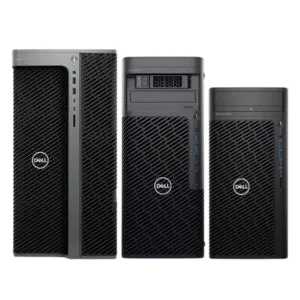
What Are Professional Workstations and Why Are They Different?
Professional workstations are high-performance computers built specifically for:
• 3D modeling and rendering
• CAD/CAM design
• Architectural visualization
• Engineering simulation
• Motion graphics and VFX
• AI workflows
• Data analysis
• Scientific computing
Professional workstations differ from ordinary PCs in several ways:
1. Purpose-built for heavy workloads
They are optimized for multi-thread workloads, complex simulation tasks, and large project files.
2. Certified for industry software
Applications like AutoCAD, SolidWorks, Revit, Blender, KeyShot, Houdini, and Catia require hardware with ISV (Independent Software Vendor) certification.
3. Workstation-grade components
Professional CPUs, ECC memory, and enterprise-class GPUs deliver higher stability.
4. Long-life durability
They are engineered for 24/7 workloads and longer duty cycles.
Because of these features, companies that rely on precision, accuracy, and efficiency consistently choose the best professional workstations for designers and engineers to ensure business continuity.
Key Benefits of Using the Best Professional Workstations for Designers and Engineers
Investing in a professional workstation provides measurable performance advantages:
1. Maximum Processing Power
Workstations use Intel Xeon, AMD Threadripper Pro, or high-end Intel Core processors specifically optimized for parallel workloads.
This ensures reduced render times, faster simulation results, and smoother multitasking.
2. Reliability Through ECC Memory
Error Correction Code memory reduces system crashes, protects project files, and ensures stability during heavy operations.

3. Support for Enterprise GPUs
NVIDIA RTX, NVIDIA Quadro, AMD Radeon Pro—these GPUs are optimized for CAD, modeling, AI, and engineering workloads, delivering certified driver performance.
4. Extended Lifespan and Durability
Workstations are designed for business environments, maintain stable thermals, and support long-duration workloads.
5. Scalability and Upgrade Flexibility
Professionals can scale storage, memory, GPUs, and networking as workload demands grow.
6. Optimized Performance for Industry Software
ISV certification ensures maximum compatibility and performance with all major design and engineering tools.
These advantages allow businesses in Egypt and the region to work more efficiently, reduce downtime, and deliver high-quality outputs on time.
Core Components That Define the Best Professional Workstations for Designers and Engineers
To choose the right workstation, it’s important to understand the components that impact performance.
1. CPU (Processor)
Multi-Core Performance
Rendering, simulation, video processing, and AI inference benefit from high core counts.
Recommended options include:
• Intel Xeon W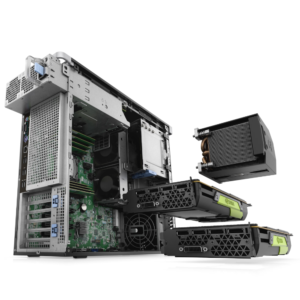
• AMD Threadripper Pro
• Intel Core i9 or i7 (latest generation)
Single-Core Performance
For CAD, modeling, and architectural design, single-core speed remains critical.
2. GPU (Graphics Processing Unit)
Professional designers and engineers rely heavily on GPU power.
Workstation-Grade GPUs
• NVIDIA RTX A-Series (A2000–A6000)
• NVIDIA Quadro series
• AMD Radeon Pro
These GPUs offer professional driver support and higher stability for real-time rendering.
Consumer GPUs (When Applicable)
For freelance designers or lighter workloads, GPUs like NVIDIA RTX 4070/4080 may be acceptable—but workstation GPUs still provide better long-term stability.
3. Memory (RAM)
ECC vs Non-ECC
ECC memory is recommended for engineering workloads to prevent corruption during simulation or rendering.
RAM Capacity
• Graphic designers: 16–32GB
• 3D modelers and animators: 64–128GB
• Engineers and simulation teams: 128–256GB+
4. Storage
Professional workstations use NVMe SSDs to reduce load times and increase responsiveness.
Recommended Storage Layout
• 1TB NVMe SSD for OS & software
• 2TB+ NVMe SSD for project files
• Optional HDD for archival storage
5. Power Supply & Cooling
Workstation systems must deliver consistent power and advanced thermals to support rendering and simulation.
Types of Professional Workstations for Designers and Engineers
Understanding workstation form factors helps companies choose the ideal solution.
Tower Workstations
• High scalability
• Easy to upgrade
• Best for rendering farms, simulations, and 3D work
Small Form Factor Workstations
• Compact size
• Suitable for office environments
• Ideal for light to moderate workloads
Mobile Workstations (Laptops)
• On-the-go performance
• Perfect for field engineers, architects, and traveling designers
Rack Workstations
• Centralized management
• Suitable for large teams
• Ideal for secure environments and studios
Software Workloads That Require the Best Professional Workstations
The following industries heavily depend on professional workstations:
Architecture & Construction
Applications: Revit, AutoCAD, 3ds Max, Lumion
Workloads: Rendering, walkthrough animation, large BIM projects
Product Design & Manufacturing
Applications: SolidWorks, CATIA, Creo
Workloads: Simulation, modeling, engineering analysis
Animation & VFX
Applications: Blender, Maya, Houdini, Cinema4D
Workloads: GPU rendering, FX simulations
Graphic Design & Media
Applications: Adobe Photoshop, Illustrator, Premiere Pro
Workloads: Image processing, video editing
AI, Research & Data
Applications: TensorFlow, PyTorch
Workloads: Machine learning, AI inference
How to Choose the Best Professional Workstation for Designers and Engineers (Step-by-Step)
Step 1: Identify Your Core Application
Each software package has recommended hardware. Choose hardware based on real workflows, not general assumptions.
Step 2: Select the CPU Based on Your Workload Type
• Rendering/simulation → Multi-core CPUs
• CAD/modeling → High single-core CPUs
Step 3: Choose the Right GPU
NVIDIA RTX A-Series is the industry standard for engineering and design.
Step 4: Decide RAM Capacity Based on Project Size
Professional 3D and engineering workflows demand higher RAM.
Step 5: Choose Fast Storage
Always choose NVMe SSDs for the fastest performance.
Step 6: Consider Scalability
Opt for systems with upgrade potential to extend lifecycle.
Top Recommended Workstations for Designers and Engineers
1. HP Z4 G5 Workstation
• Ideal for CAD, BIM, and 3D modeling
• Supports professional GPUs
• Excellent thermals
2. Dell Precision 5820 Tower
• Highly scalable
• ISV certified
• Great for engineering simulations
3. Lenovo ThinkStation P620
• AMD Threadripper Pro powerhouse
• Best for rendering farms and heavy VFX
• Outstanding multi-core performance
4. HP ZBook Fury (Mobile Workstation)
• Best mobile workstation for field engineers
• Professional GPU support
5. Dell Precision 7000 Series (Rack or Tower)
• Enterprise-grade
• Built for teams and studios
• Excellent for centralized workflows
Benefits of Using the Best Professional Workstations for Designers and Engineers in Egypt
Businesses in Egypt and the region gain significant advantages:
• Faster project delivery
• Improved collaboration
• Higher project accuracy
• Better rendering performance
• Lower downtime and failures
• Longer hardware lifecycle
• Strong return on investment
Technical teams in Cairo, Alexandria, and the Gulf region increasingly rely on workstation-grade systems for mission-critical workflows.
Common Mistakes When Choosing a Workstation
• Buying consumer gaming PCs for professional work
• Underestimating GPU requirements
• Choosing insufficient RAM
• Ignoring storage performance
• Overlooking ISV certification
• Choosing brands without local support
Avoiding these mistakes ensures a stable, efficient, and future-proof environment.
Conclusion: Why Professional Teams Should Invest in High-Performance Workstations
Professional workstations are not optional for design and engineering workloads—they are essential. Choosing the best professional workstations for designers and engineers ensures stability, accuracy, faster workflows, and higher-quality results across all industries.
For any business looking to upgrade performance, improve workflow efficiency, or build a scalable design and engineering environment, investing in a certified professional workstation remains the most strategic and cost-effective decision.